Menu bar
Your whole day, one glance up.
The next meeting and what needs you, without opening the app.
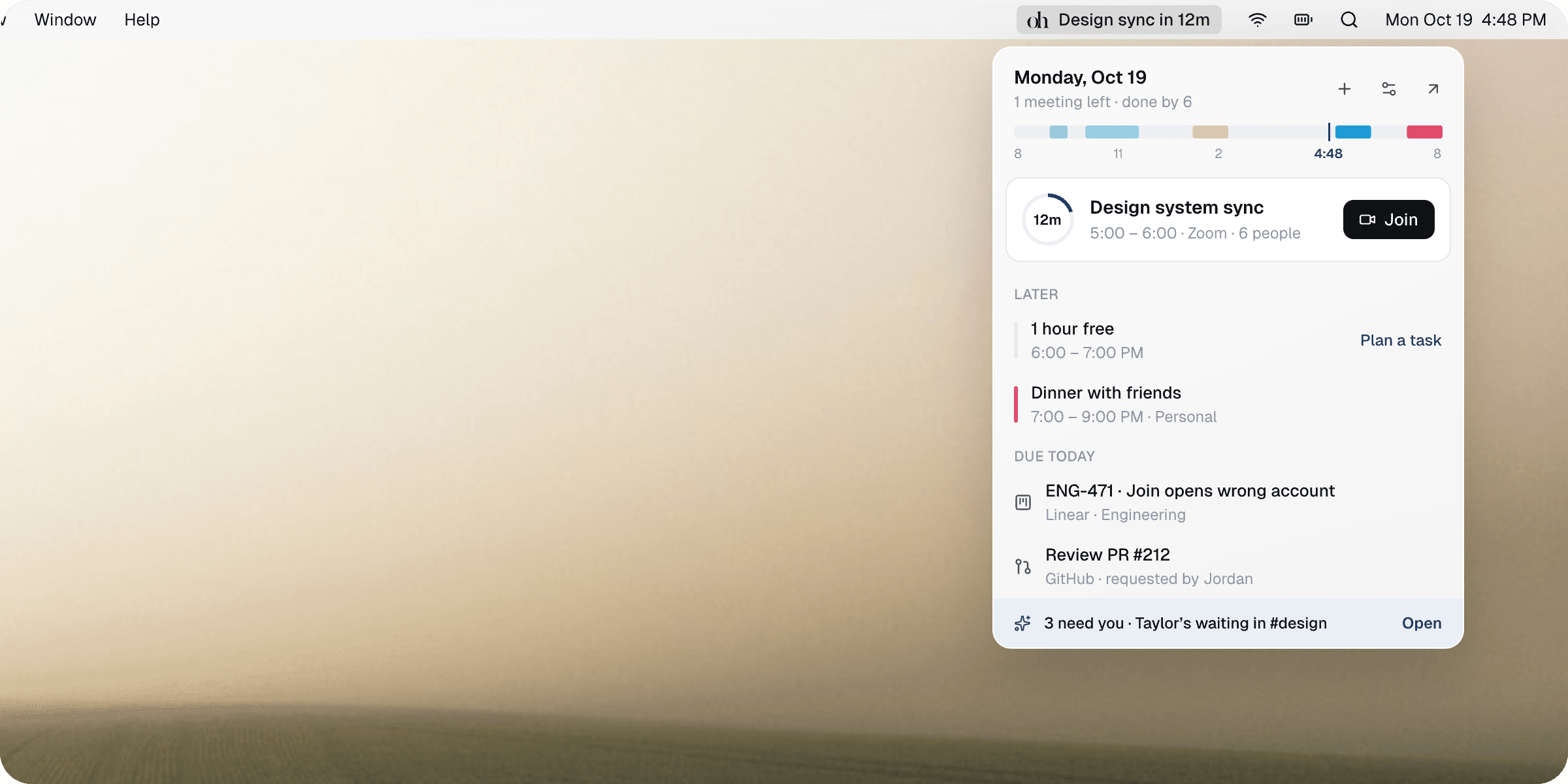
- A countdown in the menu barThe next meeting’s minutes, and a ring that fills as it gets close.
- Opens in the right accountJoin links open as the address that was invited.
- A task that fits, offeredOne press puts it on the calendar.
- Answer Snaps in placeReply, accept or plan — the app stays closed.
In the panel
Everything you’d open the app for, without opening it.
A countdown in the menu bar
The next meeting’s title and the minutes until it starts, with a ring that fills over the last half hour — green once it’s begun.
The day as a ribbon
Every meeting and booked task in its calendar’s colour, a needle at now, and the free stretches still ahead outlined.
Join in the right account
Join opens the meeting signed in as the account that was invited — not whichever one your browser picked. ⌘J from the panel.
Book the free hour
When a task due today fits a free stretch, the timeline offers it there. One press puts it on the calendar.
Due today, ticked off
Tasks due today, from Linear, GitHub, Slack or your own list. Tick one and it’s done everywhere it came from.
Answer Snaps in place
The first thing that needs you, with Snaps’ suggested answer and its buttons. Send, accept or plan it without switching apps.
Take back your week.
Try everything free. Then $8.25 a month, billed yearly — cancel anytime.
macOS 26 or later · Apple silicon & Intel