Your day, handled.
Meetings, tasks and messages in one calm place on your Mac — with an assistant that keeps it all moving, and only acts when you say so.
Free to try · From $8.25 a month · macOS 26 · Apple silicon & Intel
Works with
Plugs into your whole day.
Connect your calendars and the tools where asks come from. Snaps watches them for anything that needs a time or a reply — and every account opens as the right you.
You can connect multiple accounts of the same tool.
- Google CalendarEvents, availability Connected
- OutlookEvents, availabilityConnect
- Google MeetDetect join links Connected
- LinearIssues as tasks Connected
- GitHubIssues and PRs as tasksConnect
- SlackSaved messages as tasks Connected
Meet Snaps
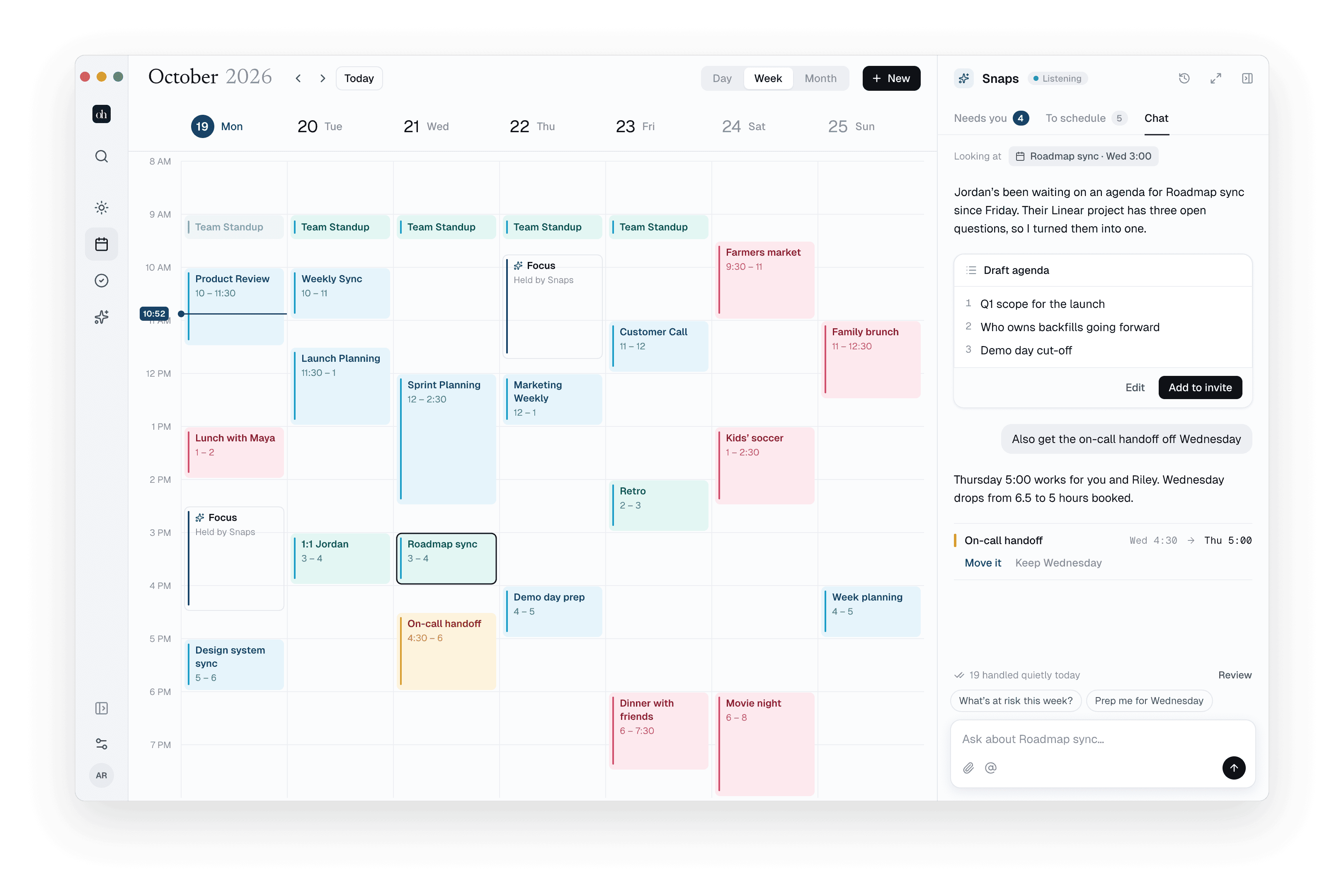
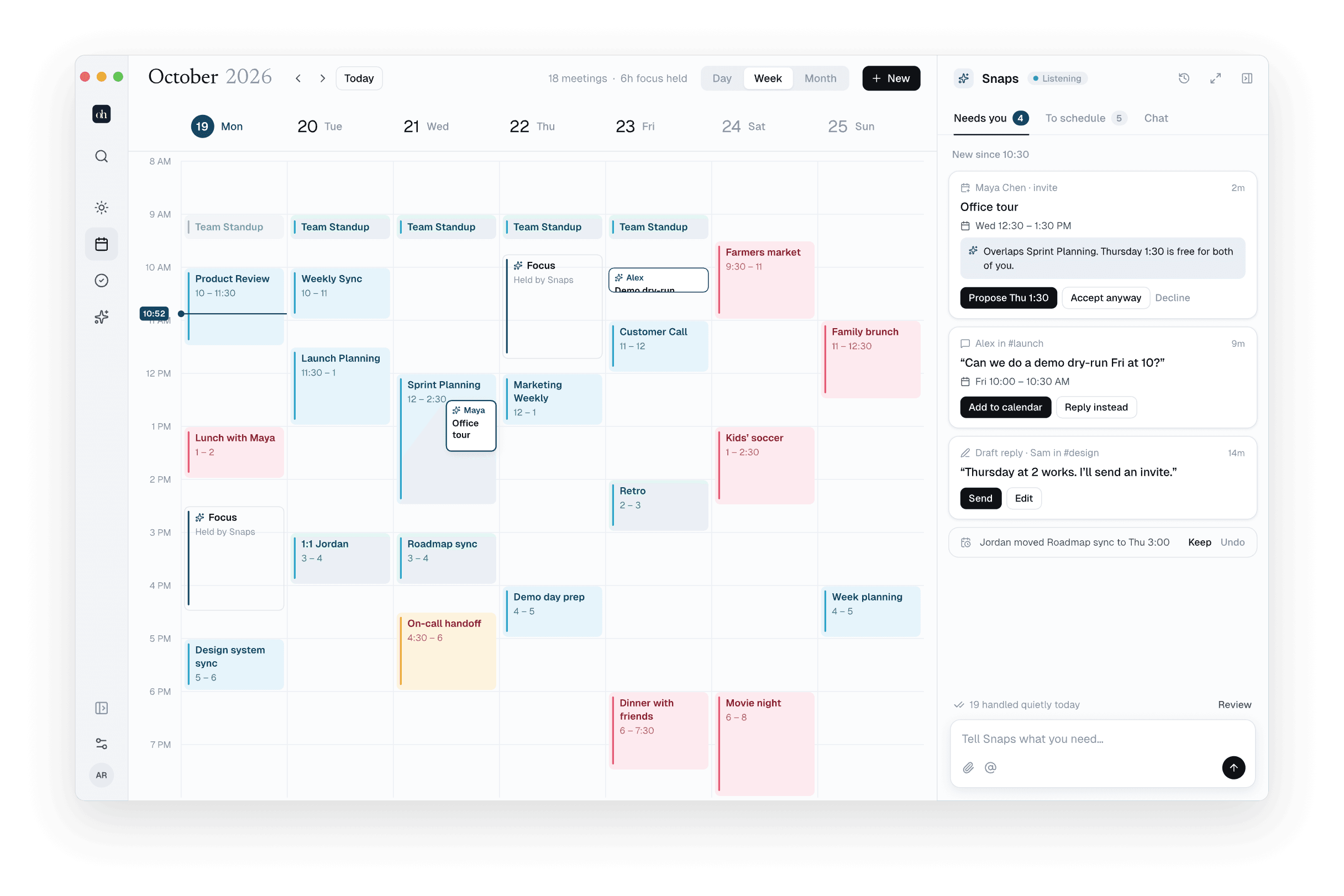
23 things came in.
Snaps handled 19.
Snaps reads Slack, Linear and your calendars, then sorts what came in. The small things it just does. Everything else lands in Needs you, with the reply already drafted.
- Your calendar, instantlyHolds and blocks only you see happen right away, with Undo.Instant
- Anything others see waits for youReplies, RSVPs and invites need your Accept.Needs you
- A fresh brief every morningWhat’s ahead, where focus fits, and what needs you.7:00 AM
New since 10:30
Quarterly planning
Wed 12:30 – 1:30 PM
“Can we do a demo dry-run Fri at 10?”
“
Find 30 min with Alex next week…
You stay in charge
What can Snaps do on its own?
You decide. Anything that only touches your own calendar can happen right away, with Undo. Anything another person would notice waits for your Accept.
Always asks first before sending messages or inviting people
Snaps never writes to Google, Slack or Linear on its own — your Mac does, once you say so.
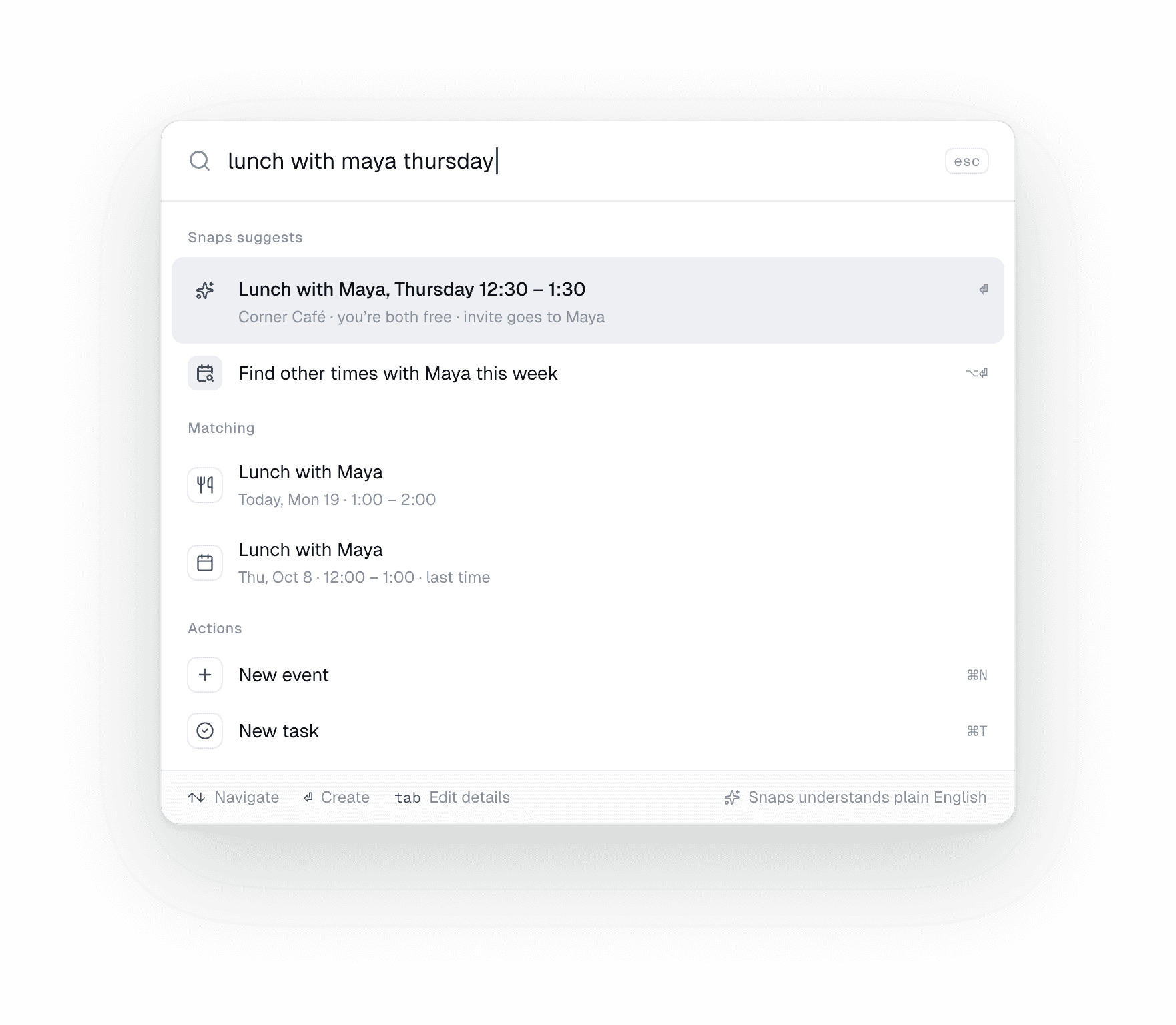
Find a time · ⌥⌘F
Find a time without the back-and-forth.
Both calendars side by side, the overlap lit up. Type who and when in plain words — try “30 min with Maya on Thursday”.
Menu bar
Your whole day, one glance up.
The next meeting and what needs you, without opening the app.
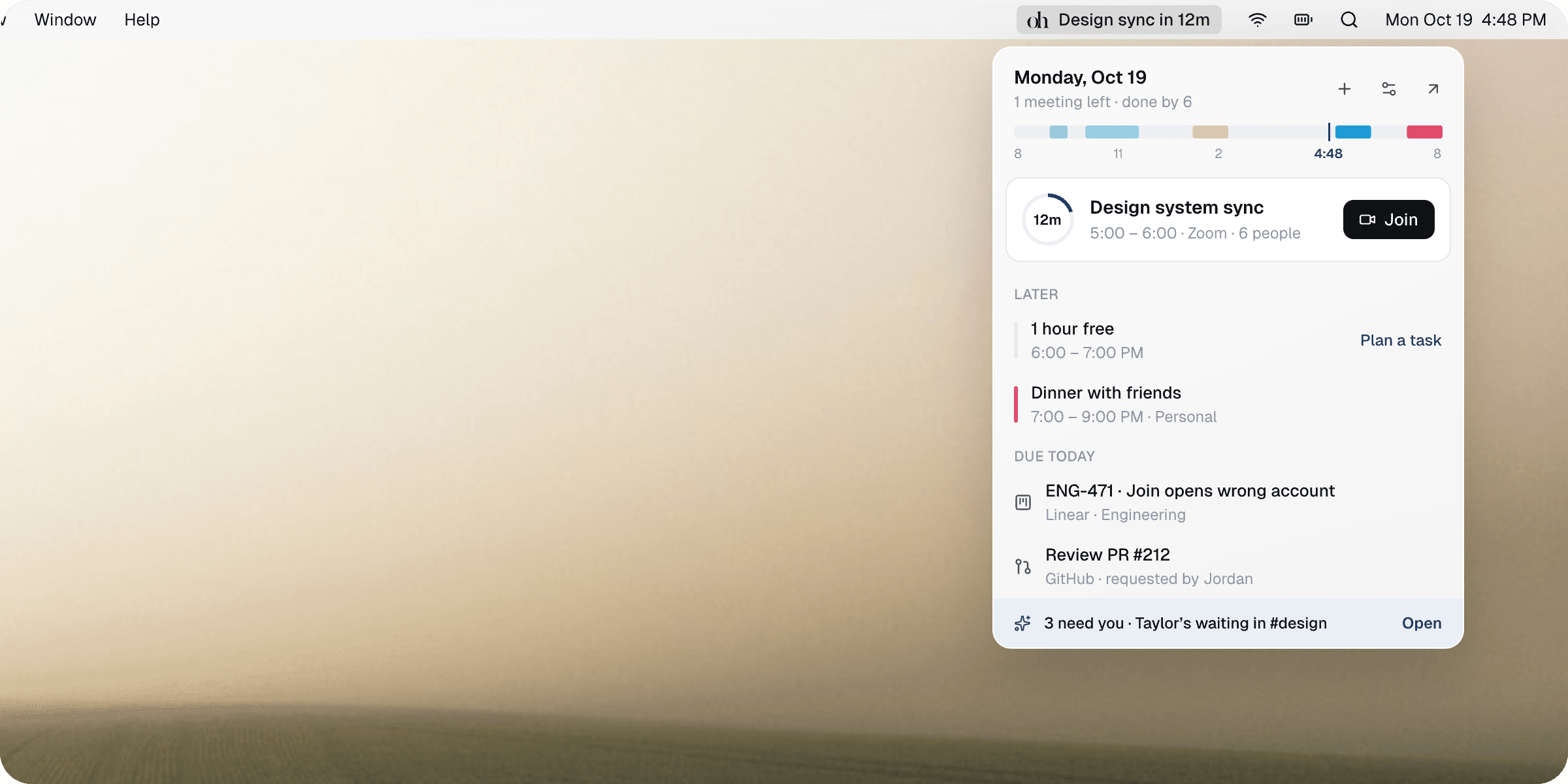
- A countdown in the menu barThe next meeting’s minutes, and a ring that fills as it gets close.
- Opens in the right accountJoin links open as the address that was invited.
- A task that fits, offeredOne press puts it on the calendar.
- Answer Snaps in placeReply, accept or plan — the app stays closed.
Keyboard first
Everything is a keystroke away.
- Search & run anythingReturn asks Snaps.⌘K
- Ask SnapsNothing sends without you.⌘J
- Find a timeThe overlap, lit up.⌥⌘F
- New task or eventType naturally.⇧⌘N
- Back to todayThe brief, on one page.⌘T
A real Mac app
Made for the Mac you already love.
- A real Mac appSwiftUI and AppKit, in liquid glass on macOS 26. Light and dark.
- Every Mac, the same dayAccounts, tasks and settings sync between your Macs.
- Private by designEncrypted at rest with AES-256-GCM. No email, contacts or files — ever.
- Every calendarGoogle and Outlook, personal and work, side by side.
Pricing
One plan.
Everything included.
Try every feature free on your Mac. If Snaps gives you back an hour a week, it pays for itself many times over.
Oh Snaps
The whole app, on every Mac you own.
- Snaps, your assistantSorts what came in, handles the rest
- Every calendarGoogle and Outlook, side by side
- All your tasksLinear, GitHub and Slack, in one list
- Find a timeTwo calendars, the overlap lit up
- Menu barCountdown, joins, and replies in place
- ⌘K for everythingSearch, create and ask in one place
- Every Mac you ownAccounts and settings stay in sync
- Private by designEncrypted, never used to train AI
Choose how you pay
Start your free trialNo card to start. Subscribe in the app when your trial ends, with secure checkout by Stripe.
- Cancel anytime from Settings
- Your data never trains AI
- Promo codes welcome at checkout
FAQ
The questions people actually ask.
What can Snaps do without asking?+
Anything that only touches your own calendar or task list — holding focus time, scheduling a task, moving a block only you are in — happens right away, with Undo. Anything another person would notice — a Slack reply, an RSVP, an invite, a change in Linear — waits for your Accept. Snaps never writes to Google, Slack or Linear on its own; your Mac does, once you say so.
What happens when my free trial ends?+
Oh Snaps asks you to pick a plan — $99 a year (about $8.25 a month) or $9.99 a month — and everything stays right where you left it. The toolbar counts down the days left before then, and nothing is charged until you subscribe.
Can I cancel or switch plans anytime?+
Yes. Manage plan in Settings opens Stripe’s billing portal, where you can switch between monthly and yearly, update your card, see invoices or cancel. Promo codes go in at checkout.
How do tasks get onto the calendar?+
You drag them. Pick a task out of the list and drop it on a time slot — it snaps to fifteen minutes — or drop it on a month cell for a whole day. Drag it again to move it, or drop it on a sidebar item to re-bucket it. Double-click empty grid space to create a task right there.
Is my data on your servers?+
Yes, and that is what makes a second device work. Oh Snaps reads your calendars and issues on its own servers and keeps a copy, encrypted at rest with AES-256-GCM, so every Mac you sign into shows the same day without holding its own Google or Linear keys. Tasks and settings sync the same way. When Snaps works on your day, the parts it needs are sent to Anthropic's Claude to do it. Nothing is sold, used for advertising, or used to train AI models.
Does Snaps use my data to train AI?+
No. Snaps runs on Anthropic's Claude through Anthropic's API. The events, tasks, issues and messages it needs for a request are sent to Anthropic to answer it, and Anthropic does not use data sent through its API to train its models. We don't either.
Take back your week.
Try everything free. Then $8.25 a month, billed yearly — cancel anytime.
macOS 26 or later · Apple silicon & Intel